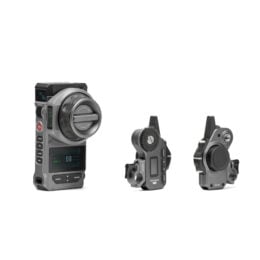
Update the firmware for your Nucleus-M II Wireless Lens Control System. Download the file and unzip it, there will be 3 bin files to update the FIZ unit, motors, and hand grip. Directions to learn how to update your firmware are available on another support page.
FIZ Hand Unit Update Notes: v2.7.13
1. Locking the Touch Screen no longer disables the unit’s physical buttons.
2. Added additional Lenses to the Lens Library (will require a Factory Reset. Please back up any previously mapped lenses)
3. Lens Library is now sorted by focal length.
4. Added a setting to disable auxiliary screens (MENU → FUNCTION → AUX SCREENS → (on/off))
5. Replaced RESOLUTION with IRIS on the Camera Control Interface.
6. Increased the time it will take for the unit to go to sleep from 3 minutes to 10 minutes
7. Improved overall system stability.
8. Fixed the issue where the auxiliary screen displayed overlapping information after startup.
9. When mapping a lens, holding ENTER will allow you to move the position of a previously set mark.
10. Fixed an issue where automatic screen brightness, permanently enabled the Iris Slider LED
11. Fixed an issue where the auxiliary screen flashed white upon startup.
Motor Update Notes: v2.0.6
1. Daisy chained motors can now be controlled by different controllers when on different channels.The FIZ will need to be set to INACTIVE before the Hand Grip is powered on to establish the connection
2. Added a Heavy Load Mode for the Hydra x Dan Ming Speed Pan System, available in the MODE menu option.
3. Fixed an issue where 24V power sources could cause the motor to draw excessive operating current.
Hand Grip Update Notes: v1.3.0
1. Added Joystick Rate Menu option which allows independent sensitivities for up and down inputs.
2. While INACTIVE, the Hand Grip REC button can no longer control recording.
3. Improved Knob Calibration now requires calibrating at four points: two endpoints for long throw and two endpoints for short throw.
4. When assigned to Motor No. 0, the Knob will control Joystick Speed.

 (4 votes)
 Loading...